Automating World Cup commentary with Databricks Genie and Model Serving
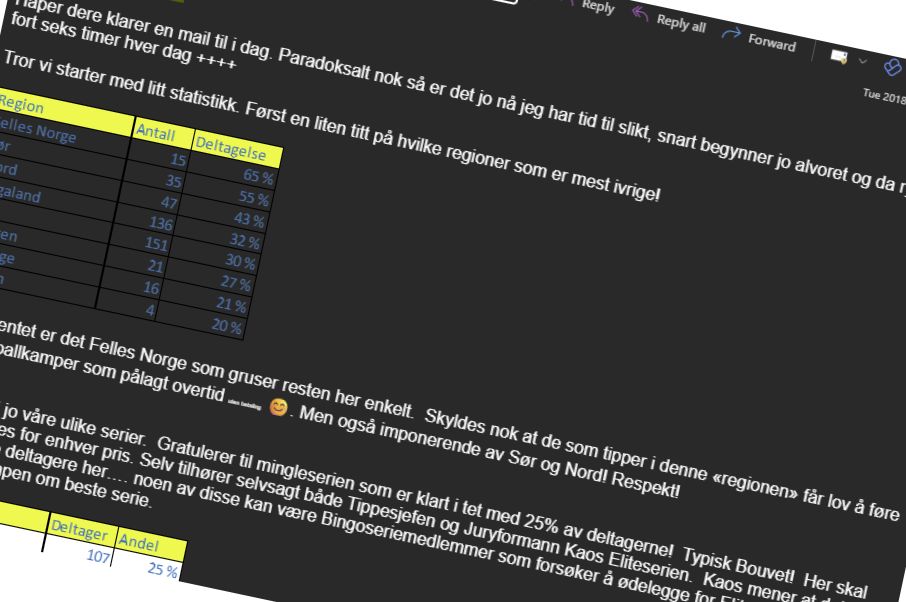
Erik Stubø was not only a very capable CFO at Bouvet, he was also an eager football fan who faithfully took charge of running an Excel-based prediction pool for every European and World Cup tournament. The commentary that came with it was half the fun:
In my previous post I shared how we’ve moved past the Excel-spreadsheet days-of-yore and transitioned to Databricks for a modern approach to gathering predictions. But we were still missing that extra step: going from raw data to insights, and sharing them dynamically with the competition participants.
Enter the automated PenguinPool Commentary Analyst.

Here’s how we built it using the Databricks Data Intelligence Platform.
The data and context layer: Genie
Databricks Genie is built to handle the heavy lifting of turning data into insights. After syncing the predictions and live results to the Lakehouse, we set up a Genie Space. By customising it with specific instructions and example queries, it inherently understands the structure of our tournament data.
The personality layer: Model Serving
To take Genie’s analytical output and tailor it to our audience, we route it through an LLM via Databricks Model Serving. Because our target audience is in an internal Slack channel, we instructed the model to keep the tone informal with a liberal sprinkling of emojis. To make it feel like a continuous, natural conversation, we feed previous Slack messages back into the context window.
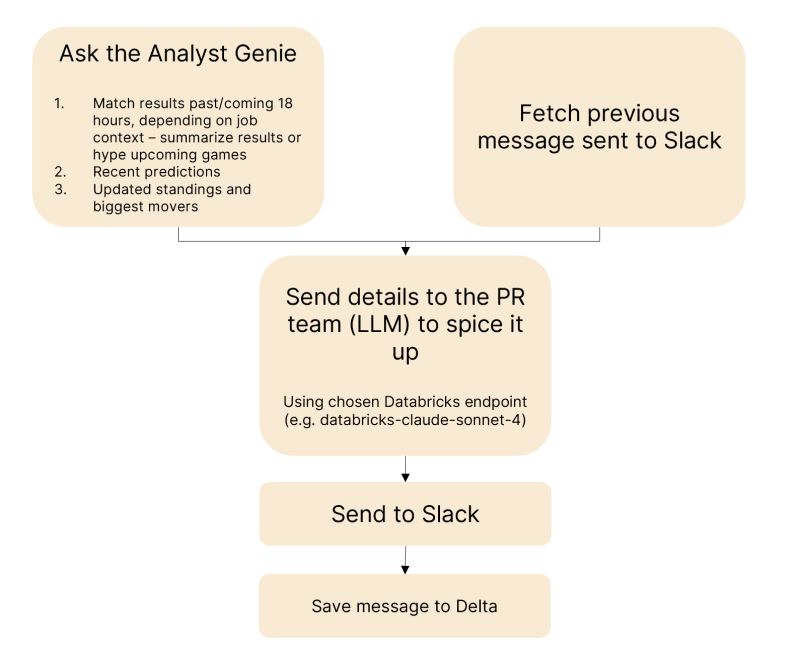
End to end, the flow asks Genie for the match results in the surrounding 18 hours — summarising what just happened or hyping what’s coming, depending on the job context — along with recent predictions, updated standings and the biggest movers. That goes to a serving endpoint (databricks-claude-sonnet-4, in our case) to be spiced up, gets posted to Slack, and is finally saved to a Delta table so the next run can pick it up as context.
The result
A Databricks job that runs twice a day:
- Morning: summarises the latest match results and updates the current PenguinPool competition standings.
- Evening: fires up right before kickoff to build up the hype for the upcoming matches.
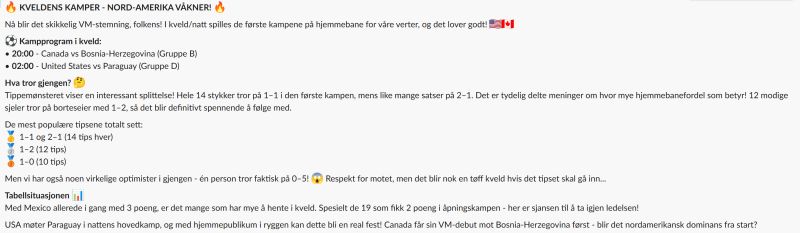
It’s obviously not a complete replacement for the legendary, real-life Stubø commentary, but it’s a brilliant showcase of how quickly you can turn enterprise data into engaging, automated insights.
This post first appeared on LinkedIn.